
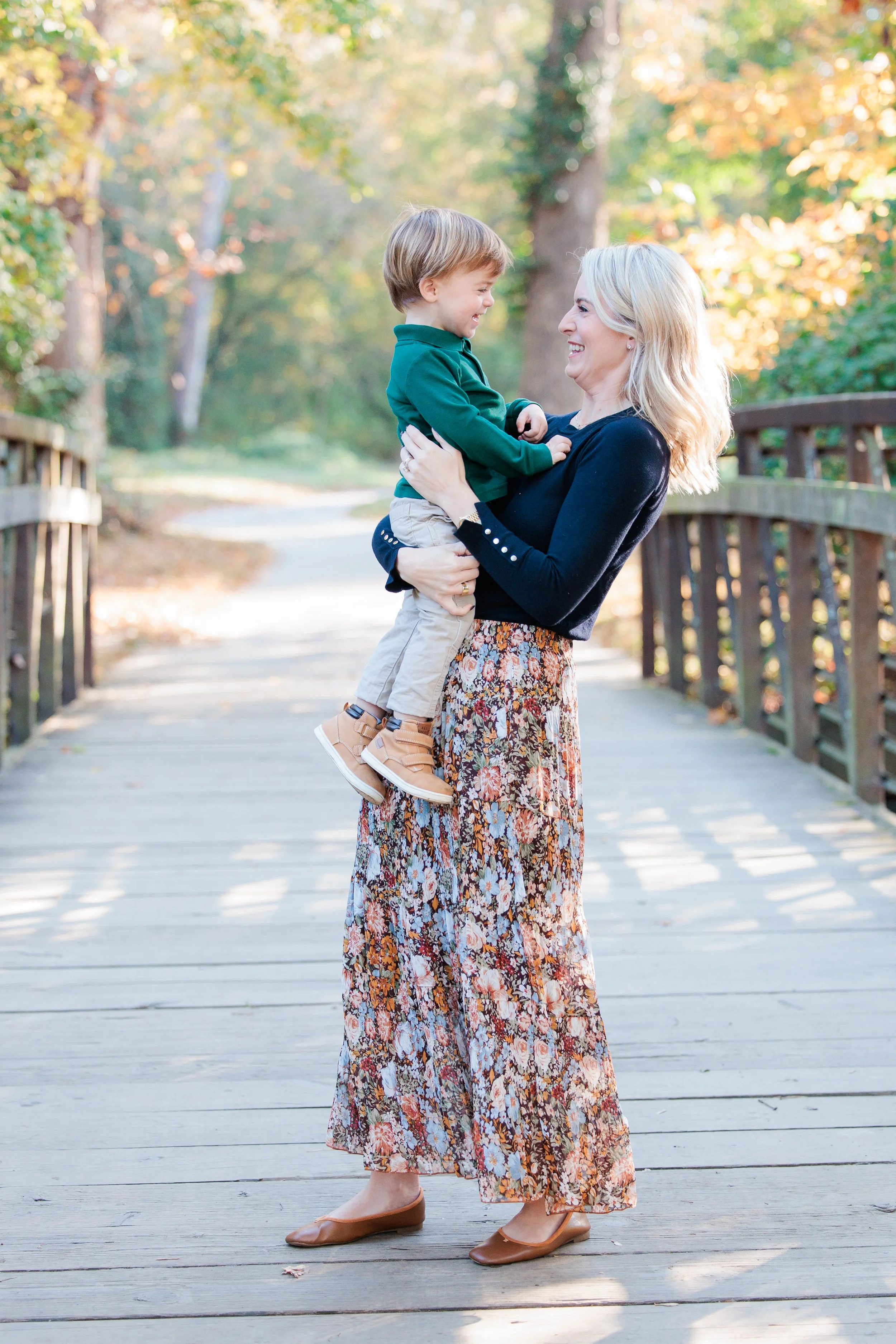
Family Photography in the DMV: For the Mom Who Runs Everything But Doesn’t Want to Miss It
Family photography for busy DMV moms who want beautiful, natural photos without added stress. Studio in Silver Spring, MD and on-location sessions across Washington DC, Maryland, and Northern Virginia.
You are the calendar.
You know who has practice.
Who needs new shoes.
When the birthday party is.
When the dentist appointment is.
You are the one making it all run.
And yet, when you scroll your camera roll, you notice something.
You’re barely in it.
If you’re a mom in Silver Spring, Bethesda, Rockville, Washington DC, or Northern Virginia, and it’s been a few years since you’ve done family photos, you’re not alone.
Most of the moms I photograph across the DMV say the same thing:
“I can’t believe how fast this is going.”
It’s Not About Perfect
One of the biggest reasons families delay booking professional family photography is this belief:
“It’s going to be a whole production.”
Outfits.
Schedules.
Weather.
Kids behaving.
And when you already carry the mental load of your household, adding one more thing can feel overwhelming
Here’s the truth:
It does not have to be stressful.
My job as a family photographer serving the DMV is to remove pressure, not add to it.
Your kids do not need to behave perfectly.
They need to be themselves.
The best images usually come from the in-between moments anyway.
Why Weekday Family Sessions Work So Well
Most of my family sessions take place on weekdays. And instead of apologizing for that, I’ve learned to lean into it.
Weekday sessions in the DMV are:
• Calmer
• Less rushed
• Not squeezed between sports and birthday parties
• More intentional
When we protect that time on your calendar, it feels different. You show up more present. Your kids feel the shift too.
Studio or On Location Across the DMV
Some families love outdoor sessions at:
• Brookside Gardens
• Local parks in Montgomery County
• Cherry blossoms in Washington DC
• Quiet neighborhood spots in Bethesda or Northern Virginia
Others prefer the simplicity of my Silver Spring studio.
No weather concerns.
No long walks.
Easy parking.
Quick transitions.
Both options are available. I photograph families throughout Washington DC, Maryland, and Northern Virginia, and also offer in-studio sessions in Silver Spring.
The Real Reason Moms Book
It’s rarely about holiday cards.
It’s about this:
You want proof.
Proof that you were there.
Proof that this season happened.
Proof that even in the chaos, something beautiful was being built.
But underneath that strength is a quiet thought:
“I don’t want to miss this.”
Family photography is not about adding something to your to-do list.
It’s about documenting what you’re already doing so well.
Common Questions
Do you photograph families outside Silver Spring?
Yes. I serve families across Washington DC, Montgomery County, and Northern Virginia. Sessions can take place at meaningful outdoor locations or in my Silver Spring studio.
What if my kids are wild?
They don’t need to sit still. My sessions are guided but relaxed. I work with movement, personality, and real connection.
How long does a session take?
Full private sessions are up to one hour. Studio sessions are typically 30–45 minutes. Mini sessions are shorter and ideal for quick updates.
If You’ve Been Waiting
If you’ve been thinking:
“It’s been too long.”
“I should have done this last year.”
“Maybe in the fall.”
Consider this your sign.
Spring in the DMV is beautiful. Fall is classic. Studio sessions work year-round.
There is no perfect time.
There is just now.
And your future self will be glad you didn’t wait.
How to Create a Year in Review Photo Book (Without Losing Your Mind!)
Feeling overwhelmed by the thought of creating a Year in Review photo book? Take it one step at a time! This guide breaks down the process into easy, doable steps so you can turn your favorite memories into a beautiful keepsake.
The idea of making a Year in Review photo book can feel a bit...daunting. With a year's worth of photos scattered across your phone, computer, and maybe even a few in the cloud, where do you even start? But trust me, it's easier than it seems. Like any big project, it's all about breaking it down into manageable steps. So, grab a cup of coffee (or wine—no judgment here) and let's get started!
(and remember, these steps don’t have to happen all at once. Do 1 a day, or 1 a week….make it doable for you! It typically takes me a month to put this together!)
Step 1: Gather Your Photos
Start by collecting all your photos in one place. This means scrolling through your phone, digging through cloud storage, and maybe even scanning a few physical prints. Create a dedicated folder labeled "Year in Review 2024" to keep things organized. Don't overthink it—just grab the ones that make you smile! You can also create folders in your photo gallery app on your phone.
Step 2: Narrow It Down
Now that you've got all your photos in one place, it’s time to curate. Aim for quality over quantity. Pick the moments that truly mattered—family celebrations, vacations, everyday smiles, and even those perfectly imperfect moments. Remember, this book is about telling your story, not including every single photo.
Step 3: Choose a Theme or Layout
Decide if you want your book to follow a specific theme. Will it be organized by month? Events? Milestones? Some people prefer a chronological approach, while others like grouping by categories (holidays, travel, family time). Pick what feels right for you! I just go chronologically!
Step 4: Pick a Photo Book Platform
There are so many user-friendly platforms out there—Shutterfly, Chatbooks, Blurb, and more. Choose one that fits your budget and design preferences. Most of them have easy drag-and-drop templates that make the process painless. (Bonus tip: Sign up for their emails and wait for a promo codes!). I use Blurb- it integrates seamlessly with Adobe Lightroom where most of my photos are stored.
Step 5: Start Designing
Here comes the fun part! Upload your curated photos and start designing. Don't stress about making it perfect. Play around with layouts, backgrounds, and text. Keep it simple or get fancy—it's totally up to you. Pro tip: Mix in some candid shots with the posed ones for a more authentic feel.
Step 6: Add Captions and Stories
A picture is worth a thousand words, but a few captions can make your book even more special. Jot down funny quotes, special memories, or inside jokes. These little notes will bring your photos to life and make your photo book even more personal. I’ll be honest that I don’t have the time or patience for captions and I just let the photos speak for themselves!
Step 7: Review and Order
Before you hit "order," take a moment to review your work. Check for typos, photo placement, and overall flow. Maybe even have a family member look it over—fresh eyes catch things we miss! Once you're happy with it, go ahead and place that order. Future you will be SO glad you did.
Step 8: Celebrate Your Success
You did it! Creating a Year in Review photo book isn’t just about the end product—it’s about reflecting on all the wonderful moments you had. So give yourself a high-five (or another glass of wine), and get ready to relive those memories when your book arrives.
Don’t want to do this on your own? I’m available to design for you!
March Spring Family Session | Winding Creek Local Park, MD
The Kahn Westhead family brought the joy and sunshine to this gorgeous spring session under the cherry blossoms!
My favorite time of year….spring sessions! Especially when they involve warm weather, pink trees and smiling faces.
So glad to enjoy it with this fam and capture some sweet moments under the blooms!

